
SidePilot & CognitionSidePilot 与 Cognition
A verifiable AI browser sidebar, and a local-first desktop workspace. What they do, why they are different, and what they cost compared with the alternatives.一个可验证的 AI 浏览器侧边栏,一个本地优先的桌面工作台。这一页说明它们是干什么的、与同类产品有什么区别、以及价格对比。
InsightBridge Global SidePilot
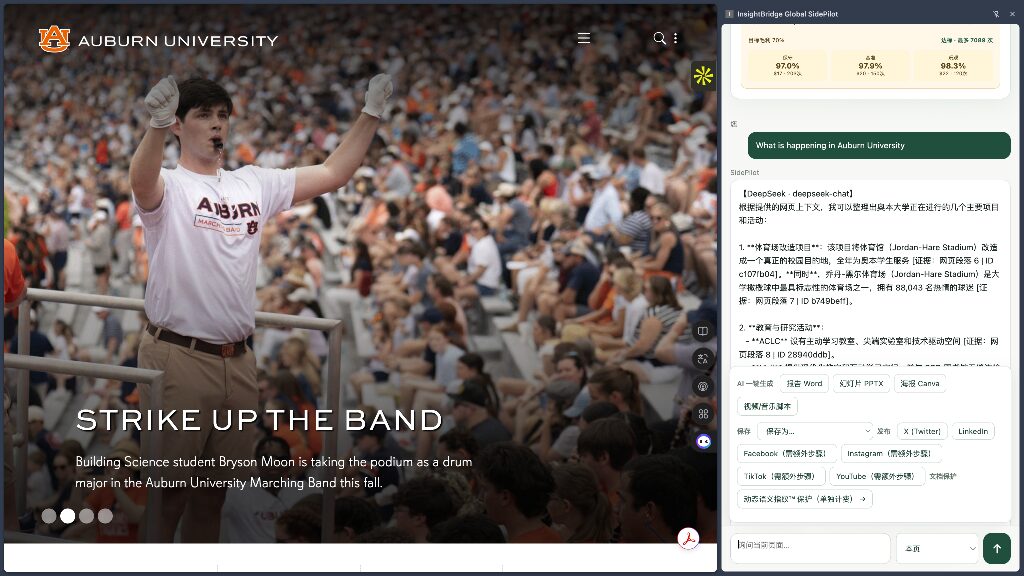
A research agent in your sidebar: it reads the page you are on, crawls the rest of the site, searches the wider web, answers with citations you can check — then turns the result into a report, PPTX, poster or social copy.侧边栏里的研究代理:读懂你正在看的网页,爬取同站其余页面、全网搜索相关资料,回答带可核验引用——再一键变成报告、PPT、海报或社媒文案。
Patent Accepted · CNIPA + PCT · 2026国家专利 + PCT 国际专利已受理 · 2026Patent status: a national invention-patent application for SidePilot has been accepted by the China National Intellectual Property Administration (CNIPA) under application number 2026113897569, together with a parallel international application under the Patent Cooperation Treaty (PCT) — application number PCT/CN2026/124578.专利状态:SidePilot 已获中国国家知识产权局(CNIPA)受理,发明专利申请号 2026113897569;并同步通过《专利合作条约》(PCT)递交的国际专利申请,受理号 PCT/CN2026/124578。
Note: CNIPA acceptance means the application has been formally docketed for substantive examination (a request for substantive examination must be filed by September 9, 2029) — the patent is pending and has not yet been granted. This page will be updated if and when it is granted.说明:CNIPA「受理」为正式立案审查(需于 2029-09-09 前提交实质审查请求),专利尚在审查阶段,尚未获得授权;如获授权将同步更新本页状态。
Coming soon即将上线
Read any page. Ask anything. Get answers with receipts.在任何网页旁打开,对这一页提问
SidePilot 是一款浏览器扩展。在任何网页旁边点开侧边栏,它会读取你当前正在看的这一页,然后你可以直接对这页内容提问:一键总结、提取要点、生成报告、翻译,或就某一段追问。它的回答附带页面引用——每条结论都指向原网页里的某一段文字,可以点开核对。读完之后可以一键把结果产出为 Word、PPTX、Canva 海报或社交媒体文案。
典型用户:需要大量阅读网页资料的研究人员、分析师、记者、学生和投资人;以及要把网页内容整理成可交付文件(报告、PPT、社媒)的市场与内容团队。
SidePilot is a browser extension. Open it beside any web page and it reads the page you are on. Ask for a summary, key points, a report or a translation, or follow up on one paragraph. Every answer carries citations that point to the exact passage on the page, so you can check it. Then export the result to Word, PPTX, Canva or a social post in one click.
Built for researchers, analysts, journalists, students and investors who read a lot of web material — and for marketing and content teams who turn what they read into deliverables.
Not a chat box — a research agent that reads, searches and acts不是聊天框——是能读、能搜、能动手的研究代理
Most AI sidebars (Monica, Merlin, Sider, Gemini, and the ChatGPT / Perplexity extensions) move a chat window to the side — and can only see the single page you have open. SidePilot reads the page, crawls the rest of the site, searches the wider web, then acts on the result. It differs in six ways:市面上的 AI 侧边栏(Monica、Merlin、Sider、Gemini、ChatGPT / Perplexity 扩展等)大多只是把聊天框搬到侧边,而且只能看到你正打开的那一页。SidePilot 读这一页、爬同站其余页面、全网搜索相关资料,然后动手产出。它有六点不同:
- Evidence-grounded answers.可核验的引用。 Passages are extracted from the current page first; the answer is built on them and each claim is tied to its source paragraph. You see answers with provenance, not free-form generation — a mechanism most competitors lack.先从当前页面抽取证据段落,再据此作答,每条结论都标注来源段落。用户看到的是"有出处的回答",而不是模型的自由发挥,大幅降低幻觉风险——这是同类产品普遍缺失的机制。
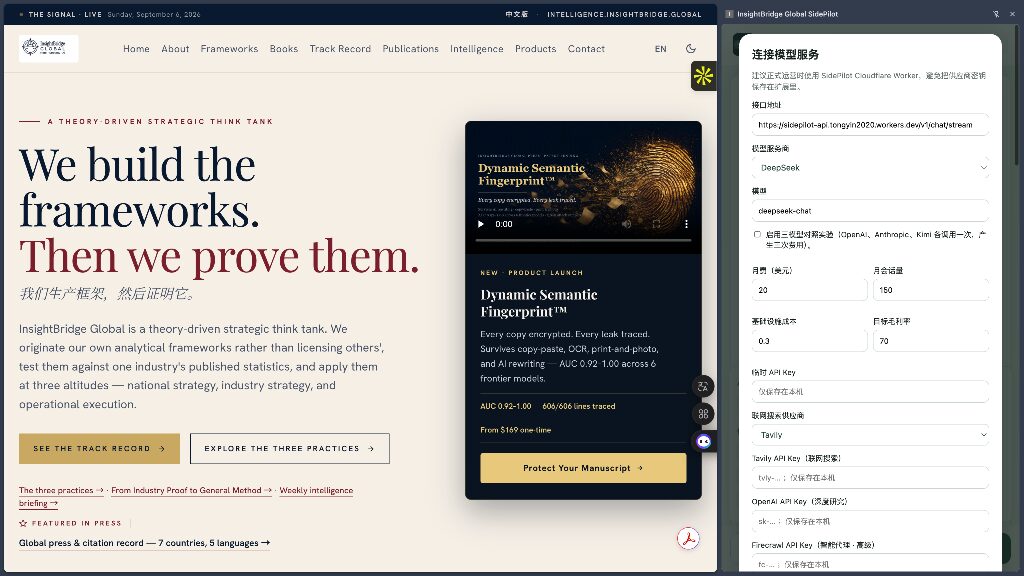
- Your keys, your machine (BYOK, local-first).你的密钥、你的机器(BYOK,本地优先)。 Switch freely between OpenAI, Anthropic, Kimi and DeepSeek. API keys live only in local browser storage and never pass through our servers; page content is not logged or stored. Friendly to enterprise and research compliance.OpenAI、Anthropic、Kimi、DeepSeek 等模型自由切换,API Key 只保存在本机浏览器存储,不经过我们的服务器;页面内容不被记录、不入库。对企业与研究机构的合规要求友好。
- From reading straight to deliverable.从阅读直接到交付。 Most sidebars stop at the answer. SidePilot produces Word, PPTX, Canva designs and social copy — read, analyse and draft in one panel.大多数侧边栏止步于"回答",SidePilot 把结果直接产出为 Word、PPTX、Canva 设计和社媒文案——阅读、分析、成稿在一个面板内完成。
- An agent that acts, not just answers.能动手的代理,而不只是回答。 One-click action presets turn a page into a finished deliverable — a structured report, a slide outline, a poster brief or a video storyboard. The sidebar does the drafting; you review and refine.一键动作预设把网页变成成品——结构化报告、幻灯片大纲、海报文案或视频分镜。侧边栏负责起草,你来审阅打磨。
- Deep research beyond the page.超越当前页面的深度研究。 Firecrawl scrapes pages others can't reach (including Cloudflare-protected ones); built-in deep research then crawls the rest of the site and searches the whole web for related material, folding it into your report or deck. Monica and Gemini stop at the one page you opened.Firecrawl 抓取别人抓不到的页面(含 Cloudflare 防护站点);内置深度研究再爬取同站其他页面、全网搜索相关资料,一并写进报告或 PPT。Monica、Gemini 则停留在你打开的那一页。
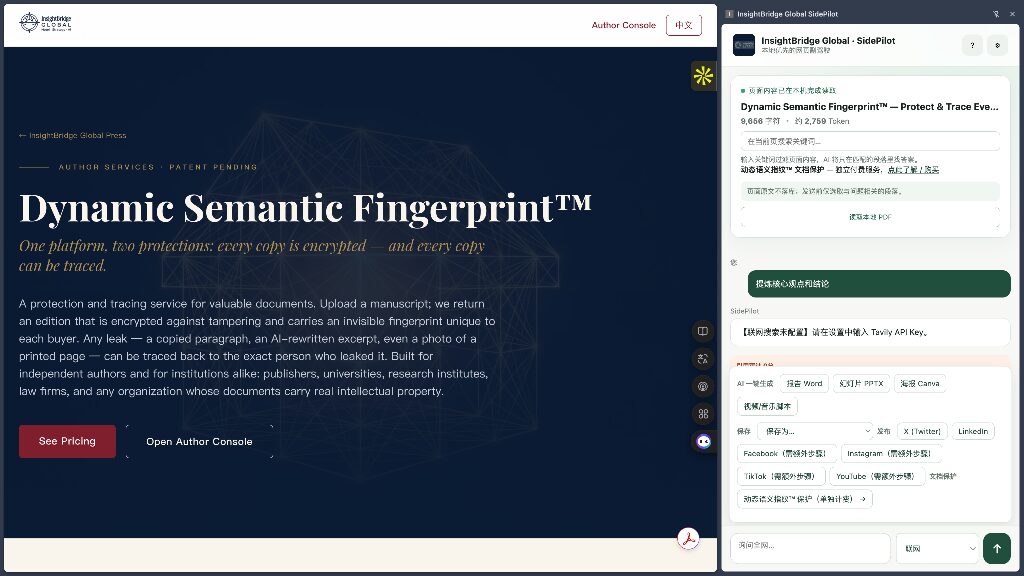
- Dynamic Semantic Fingerprint™ entry point. Documents you produce can be protected by InsightBridge's semantic fingerprint: every copy unique and traceable, surviving copy-paste, OCR, photos and AI rewriting (AUC 0.92–1.00 across six frontier models). No other sidebar offers this.入口。产出的文稿可接入 InsightBridge 的语义指纹保护:每份副本唯一、可溯源,复制粘贴、OCR、拍照、AI 改写后仍能追踪泄露来源(6 个前沿模型上 AUC 0.92–1.00)。市场上独有的组合。
Same $20 tier — more in it同样的 $20 价位,装进更多东西
| Plan方案 | Price价格 | Included包含 |
|---|---|---|
| Free | $0 | Page reading, summaries and Q&A (daily limit); bring your own API key基础页面阅读、总结与问答(每日限次);自带 API Key |
| Pro | $20 / month (≈150 sessions)$20 / 月(约 150 次会话) | All action presets, Word/PPTX/Canva/social outputs, multi-model switching, priority support全部动作预设、Word/PPTX/Canva/社媒产出、多模型切换、优先支持 |
| Dynamic Semantic Fingerprint™ | $169 / $249 / $409 one-time (by length); attribution report $39$169 / $249 / $409 一次性(按字数);溯源报告 $39/次 | Add-on service, not included in the SidePilot subscription增值服务,不含在 SidePilot 订阅内,按需购买 |
Pro price and quota are the current product plan and may change before general availability.Pro 价格与配额为当前产品规划值,正式上线前可能调整。
| Product产品 | Monthly月费 | Models / keys模型 / 密钥 | Page-level citations页面引用核验 | Word / PPTX / Canva export导出 Word/PPTX/Canva | Semantic fingerprint语义指纹保护 |
|---|---|---|---|---|---|
| SidePilot Pro | $20 | Multi-model, BYOK, keys local多模型,BYOK,密钥本机 | Yes — per paragraph有(逐段引用) | Yes有 | Yes (add-on)有(增值) |
| ChatGPT Plus (extension) | $20 | OpenAI only, vendor-hosted仅 OpenAI,厂商托管 | No无页面级引用 | No无 | No无 |
| Perplexity Pro | $20 | Multi-model, vendor-hosted多模型,厂商托管 | Web source links, not this page's paragraphs网页来源链接(非本页段落) | No无 | No无 |
| Monica | $9.9–$19.9 | Multi-model, vendor-hosted多模型,厂商托管 | No无 | Partial (PDF/text)部分(PDF/文本) | No无 |
| Merlin | $19 | Multi-model, vendor-hosted多模型,厂商托管 | No无 | No无 | No无 |
InsightBridge Global Cognition
One window. Your work. Your data. Office, PDF, conversion, video, research, mail and AI in a single local-first desktop app.一个窗口:Office、PDF、格式转换、视频、研究、邮件与 AI,全部在本地优先的桌面应用里。
Patent Accepted · CNIPA + PCT · 2026国家专利 + PCT 国际专利已受理 · 2026Patent status: a national invention-patent application for Cognition has been accepted by the China National Intellectual Property Administration (CNIPA) under application number 2026113979484, together with a parallel international application under the Patent Cooperation Treaty (PCT) — application number PCT/CN2026/124956.专利状态:Cognition 已获中国国家知识产权局(CNIPA)受理,发明专利申请号 2026113979484;并同步通过《专利合作条约》(PCT)递交的国际专利申请,受理号 PCT/CN2026/124956。
Note: CNIPA acceptance means the application has been formally docketed for substantive examination (a request for substantive examination must be filed by September 9, 2029) — the patent is pending and has not yet been granted. This page will be updated if and when it is granted.说明:CNIPA「受理」为正式立案审查(需于 2029-09-09 前提交实质审查请求),专利尚在审查阶段,尚未获得授权;如获授权将同步更新本页状态。
Coming soon即将上线
Everything you work with, in one window把日常办公的工具放进一个窗口
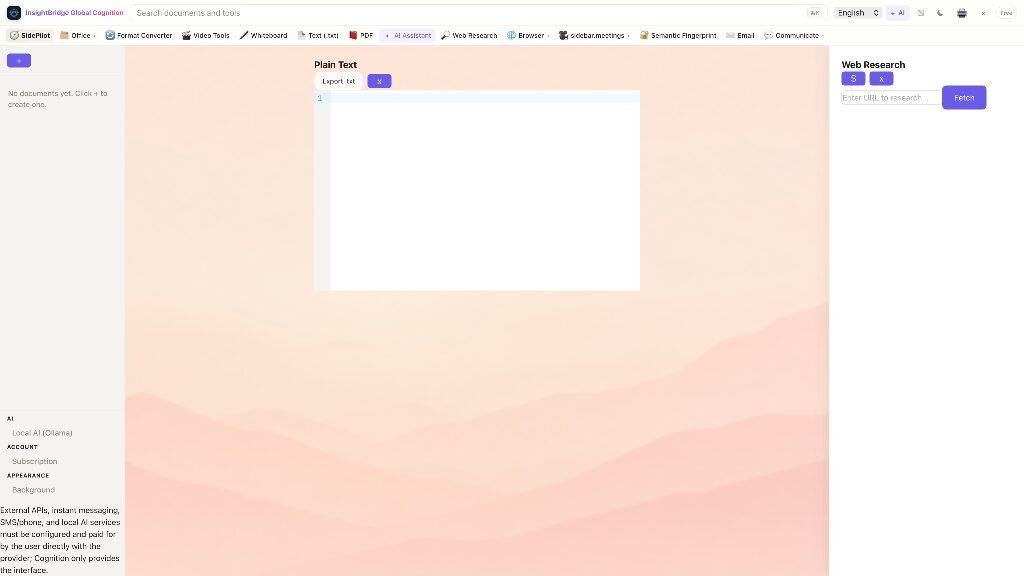
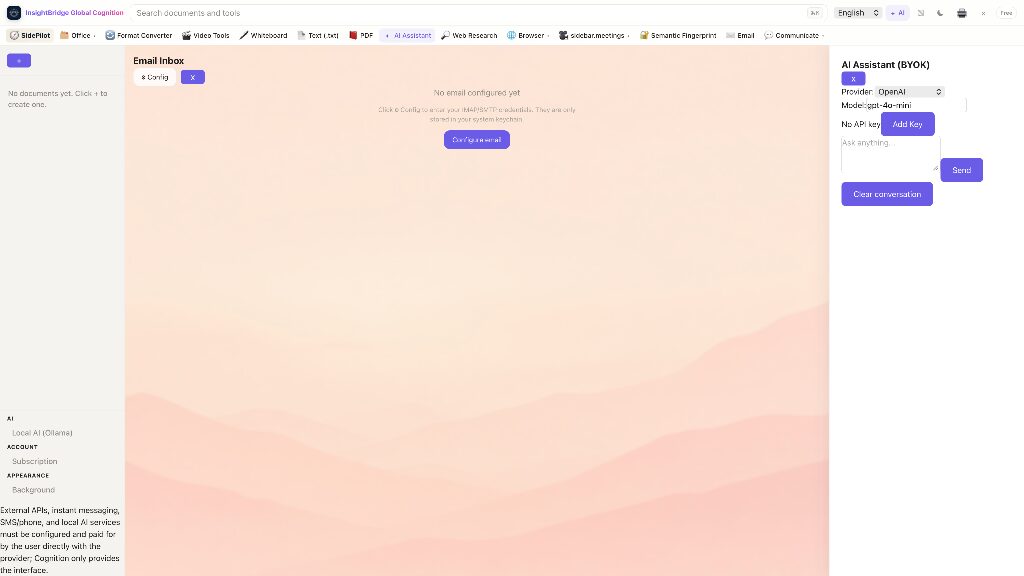
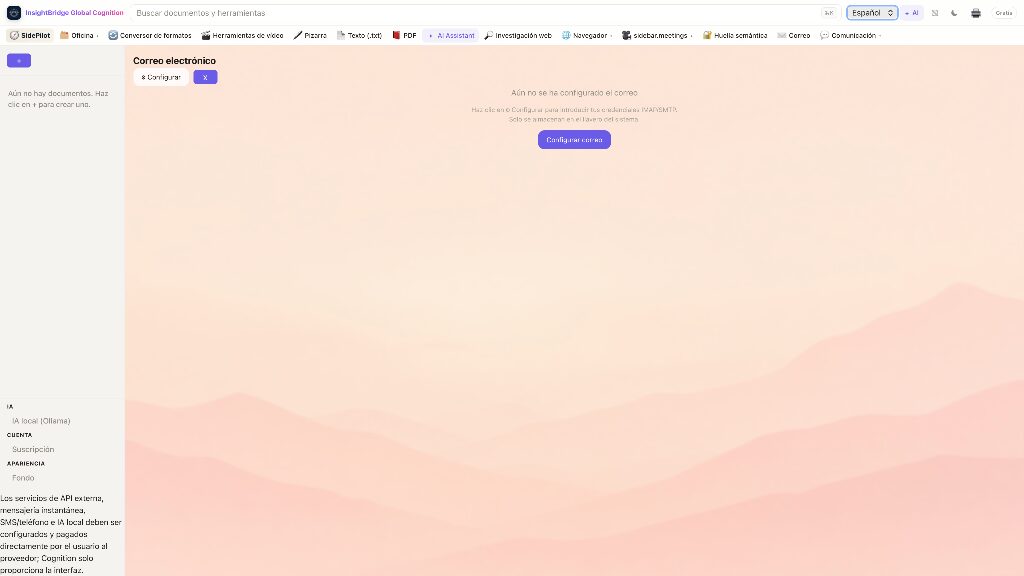
Cognition 不是又一个 Office,而是一个融合了现代办公几乎所有功能的本地工作台。一个窗口里装下:全保真 Office 文档(Word/Excel/PPT)、纯文本与 Markdown 编辑、PDF 拆分/合并、格式转换(Pandoc,DOCX/PDF/Markdown/EPUB 等互转)、视频剪辑、白板、网页研究面板、内置浏览器、邮件收件箱、即时通讯(Discord / 企业微信 / iMessage / Matrix)、传真(BYOK Twilio)、视频会议、电话,以及贯穿全程的 AI 助手——云端用你自己的 Key(BYOK),离线用本机 Ollama。界面支持英文、中文、西班牙文、法文、日文、德文、俄文、阿拉伯文等多语言。
典型用户:希望减少软件切换、重视数据主权的个人知识工作者、学生、研究者和小团队;以及对"AI 不能把资料传到别人服务器"有明确要求的用户。
Cognition is not another Office — it is a local-first workspace that fuses nearly every function a modern workday needs into one window: full-fidelity Office documents (Word/Excel/PPT), plain-text and Markdown editing, PDF split/merge, format conversion (Pandoc — DOCX, PDF, Markdown, EPUB and more), video tools, a whiteboard, a web-research panel, a built-in browser, an email inbox, messaging (Discord, WeChat Work, iMessage, Matrix), fax (BYOK Twilio), video meetings, phone — and an AI assistant that runs through it all, on your own keys (BYOK) in the cloud or fully offline with Ollama. The interface is available in English, Chinese, Spanish, French, Japanese, German, Russian, Arabic and more.
Built for knowledge workers, students, researchers and small teams who want fewer app switches and real data sovereignty — and for anyone whose rule is "AI must not send my material to someone else's server".
Not a simple Office — a fused workbench不是简单的 Office——是融合的工作台
Microsoft 365 and Google Workspace are suites you assemble from separate apps, and Notion is a note tool — none of them puts Office, conversion, video, messaging, fax, meetings, phone and AI in one place. Cognition does. It differs in five ways:Microsoft 365 和 Google Workspace 是需要拼装多个独立应用的套件,Notion 则是笔记工具——没有一家把 Office、格式转换、视频、即时通讯、传真、会议、电话和 AI 放进同一个地方。Cognition 做到了。它有五点不同:
- One window, not ten apps.一个窗口,而不是十个应用。 Office documents, PDF, format conversion, video, messaging, fax, meetings, phone, browsing, research and AI all live in one interface — no copy-paste between separate SaaS tools.Office 文档、PDF、格式转换、视频、即时通讯、传真、会议、电话、浏览、研究和 AI 全在同一界面——不用在多个独立应用之间来回复制粘贴。
- Data sovereignty.本地优先、数据主权。 Files, mail credentials (IMAP/SMTP) and AI keys live only in your system keychain; we operate no cloud that stores user content. Notion and Google store your content in the vendor's cloud by default — a fundamental difference.文件、邮件凭据(IMAP/SMTP)和 AI 密钥都只存在本机系统钥匙串;我们不运营存放用户内容的云端。Notion / Google 类产品默认把内容存在厂商云端,这是根本区别。
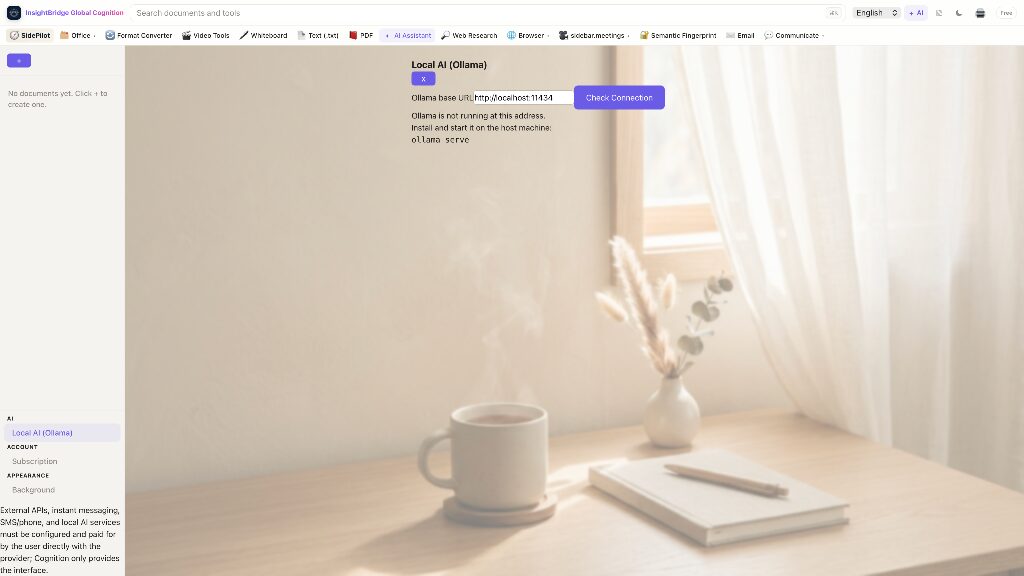
- Two AI modes: BYOK cloud + Ollama offline.AI 双模式:BYOK 云端 + Ollama 离线。 Use your own OpenAI or Anthropic account, or work disconnected with a local model. Most competitors bundle a vendor AI and charge per seat for it (Notion AI, Copilot).可用 OpenAI、Anthropic 等自己的账号,也可以在断网环境下用本机模型工作。多数竞品的 AI 是厂商捆绑、按席位额外收费(如 Notion AI、Copilot)。
- AI that summarizes — cloud or offline.AI 总结与提炼(云端或离线)。 Select text and summarize, rewrite, structure or inject search results in one click; a one-tap "AI digest" condenses unread messages into a single calm sentence. The local AI runs on open-source Ollama right on your machine — fully offline, nothing leaves your computer.选中文本即可一键总结、改写、结构化、注入搜索结果;通讯面板的「AI 帮我提炼」把未读消息压成一句平静摘要。本地 AI 用开源 Ollama 直接在你电脑上跑,完全离线也能总结,数据不出本机。
- Open formats built in.开放格式与转换内建。 Pandoc-based conversion and PDF tools ship with the app; nothing is locked in a proprietary format.基于 Pandoc 的格式转换与 PDF 工具随附,不锁定私有格式,导出即可迁移。
- Semantic Fingerprint for teams.团队版内置语义指纹。 The Team plan includes Semantic Fingerprint: every shared document carries a unique, traceable fingerprint — unique among office suites.Team 方案包含 Semantic Fingerprint:团队内共享的文档每份带唯一指纹,泄露可溯源——办公套件里独有。
Less than "suite + AI add-on", more in one place低于"办公套件 + AI 附加包",却装进更多
| Plan方案 | Price价格 | Included包含 |
|---|---|---|
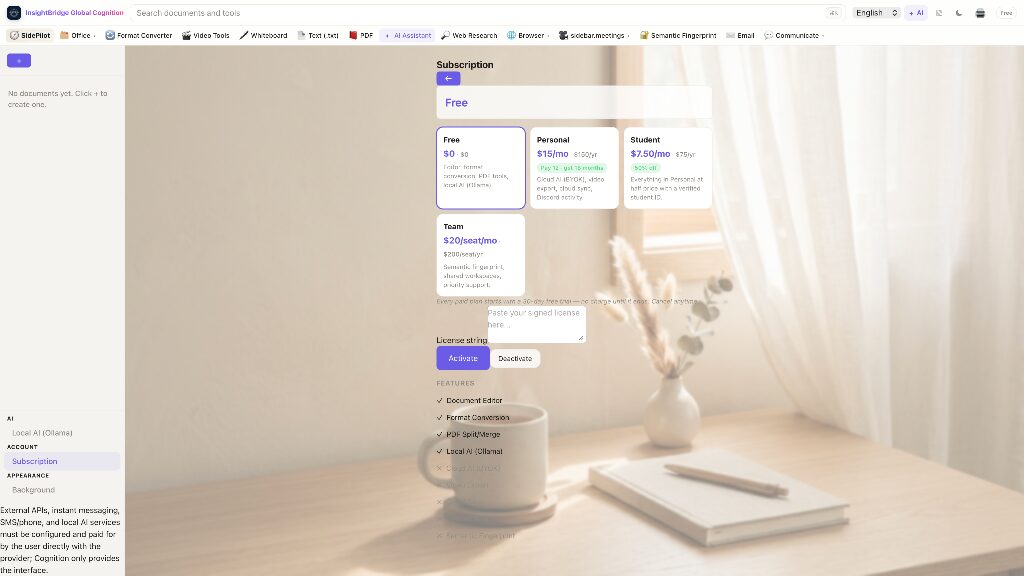
| Free | $0 | Document editor, format conversion, PDF split/merge, local AI (Ollama)文档编辑器、格式转换、PDF 拆分/合并、本地 AI(Ollama) |
| Personal | $15 / month · $150 / year$15 / 月 · $150 / 年 | Everything in Free + cloud AI (BYOK), video export, cloud sync, Discord activityFree 全部 + 云端 AI(BYOK)、视频导出、云同步、Discord 活动 |
| Student | $7.50 / month · $75 / year (50% off)$7.50 / 月 · $75 / 年(半价) | Everything in Personal, with verified student IDPersonal 全部,需学生身份验证 |
| Team | $20 / seat / month · $200 / seat / year$20 / 席位 / 月 · $200 / 席位 / 年 | Everything in Personal + Semantic Fingerprint, shared workspace, priority supportPersonal 全部 + 语义指纹、共享工作区、优先支持 |
Every paid plan starts with a 30-day free trial — no charge until it ends, cancel anytime.所有付费方案 30 天免费试用,试用结束前不收费,随时取消。
| Product产品 | Personal / month个人月费 | AI costAI 费用 | Where data lives数据存放 | Offline AI离线 AI | Semantic fingerprint语义指纹 |
|---|---|---|---|---|---|
| Cognition Personal | $15 ($12.50 annual)$15(年付 $12.5) | BYOK included, no extra seat fee含 BYOK,无额外席位费 | Your machine本机 | Yes (Ollama)有(Ollama) | Team planTeam 版内置 |
| Notion Plus + Notion AI | $10 + $8–10 | AI charged separatelyAI 另收费 | Vendor cloud厂商云端 | No无 | No无 |
| Microsoft 365 Personal + Copilot Pro | $9.99 + $20 | AI charged separatelyAI 另收费 | Mostly vendor cloud厂商云端为主 | No无 | No无 |
| Google Workspace Business Starter | $7–8.4 | Gemini partly includedGemini 部分包含 | Vendor cloud厂商云端 | No无 | No无 |
| Obsidian + Sync | $0 + $4–8 | No built-in AI无内建 AI | Your machine本机 | Via plugins需插件 | No无 |
Competitor prices are taken from the vendors' public pricing pages (September 2026), may change at any time, and are shown for comparison only.竞品价格来自各厂商公开定价页(2026 年 9 月),可能随时变动,仅供对比。